on-web-ui 2.0
Table of Contents
You can download a zip of the latest version.
This zip file can be extracted inside “on-http/static/http” to serve the UI from the MonoRail API server.
Source code for the web user interface is available at https://github.com/RackHD/on-web-ui. There is also a README for learning how to about UI development.
How to Configure API Endpoint Settings
- Open web browser, and then go to the following URL
http://<ip>:<port>/ui, replace with your own ipaddr and port. - Click the
gearbutton on the top right panel
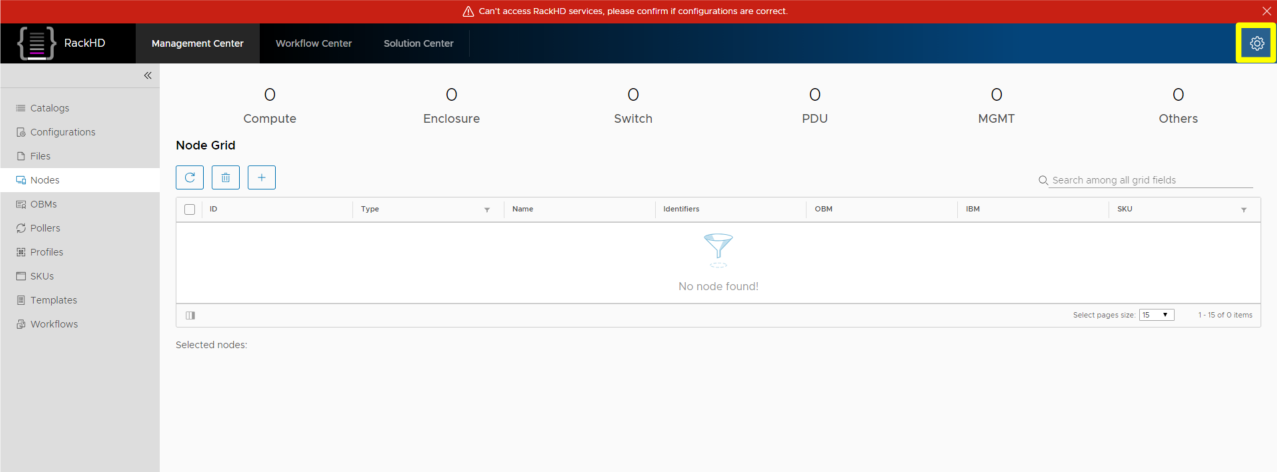
- Enter your
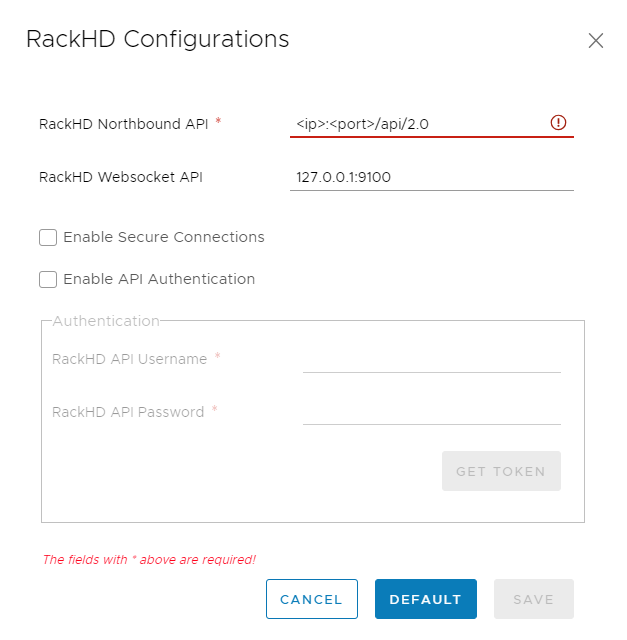
RackHD Northbound API, then clicksavebutton, if your ip address is invalid, it will warn youRackHD northbound API is inaccessible. In addition, we support secure connectionhttpsandAPI Authentication, you can check these options in the configuration panel if you want.
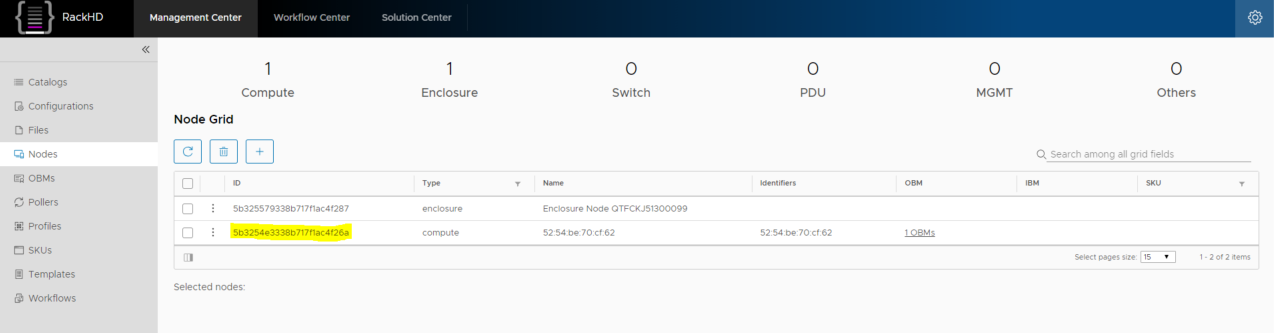
- Then you will see all discovered nodes in the panel.